Free metafield check
Do your product metafields tell your products apart? Upload your Shopify products export and we’ll email you a report: which products look identical, which metafields are empty, and which values are too rare or too common to be useful for search, filters and ads.
1. Export your products
- In your Shopify admin, open Products and click Export (top right).
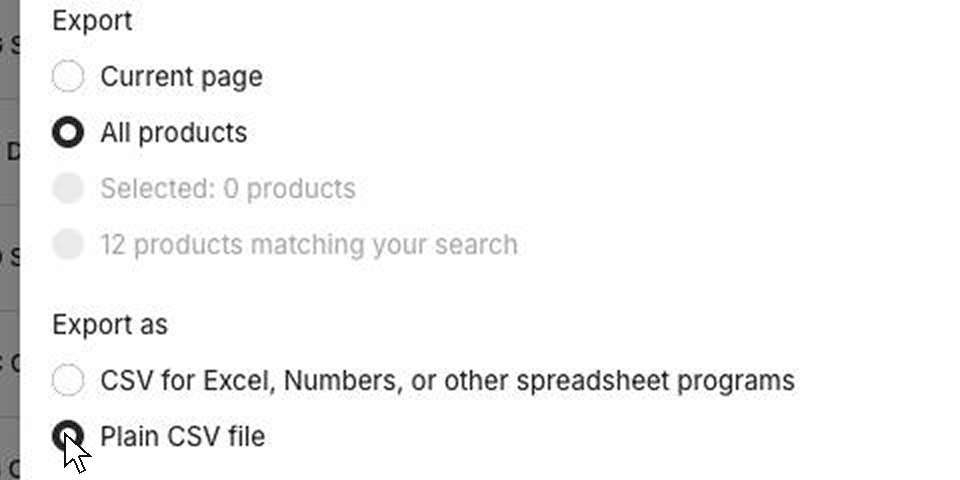
- In the dialog, choose All products and Plain CSV file, then click Export products.
- Shopify emails you the file. Download it and upload it here, as the .csv or the .zip it may come in.
2. Upload it
What you’ll get
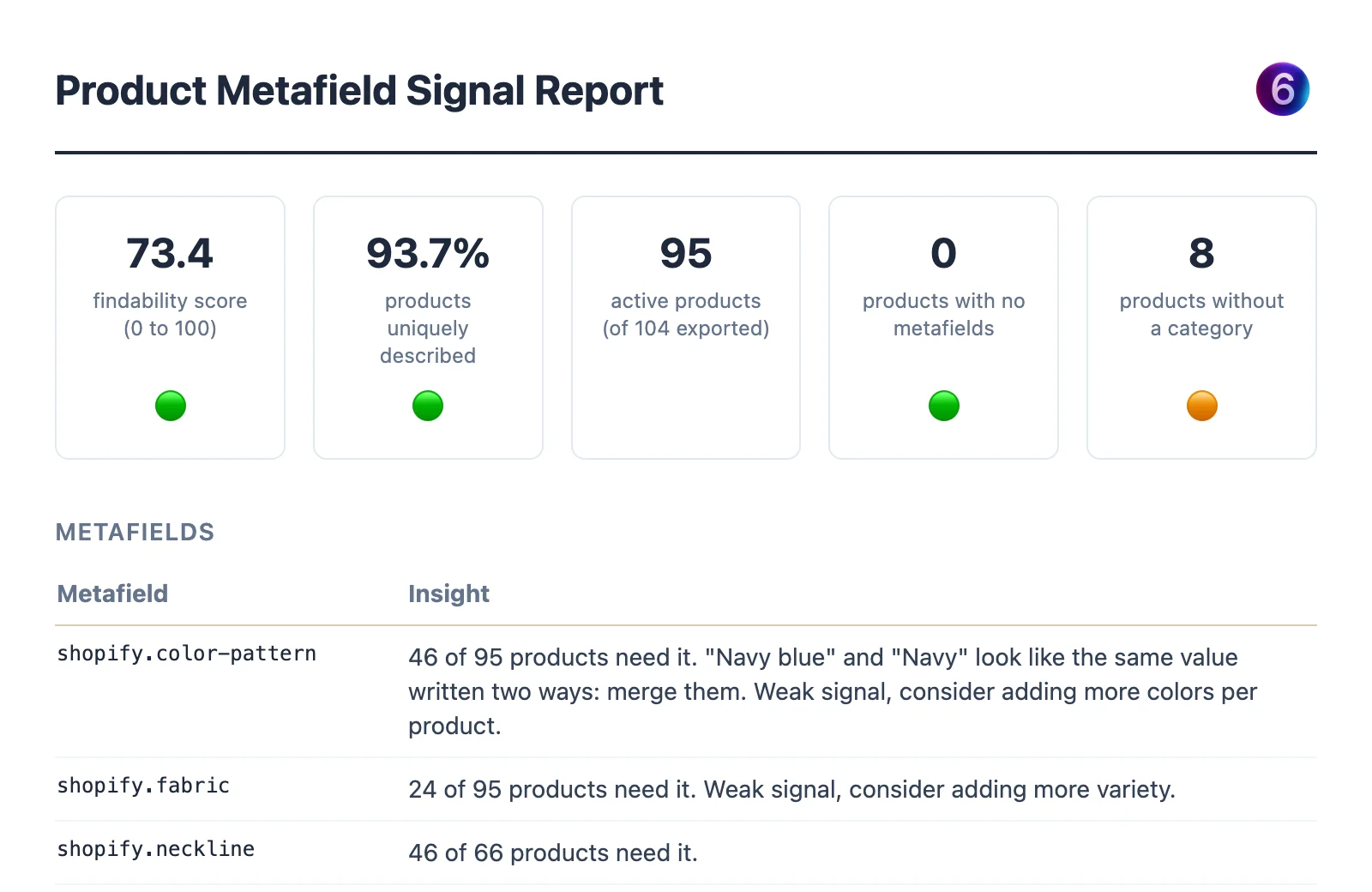
Your findability score, a check of your product categories, a written insight for every metafield, and the products that look identical. Here’s the report for Fernhill, a made-up clothing store with 95 products:
 See the full sample report (PDF)